Paragraph Formatting for Ebook
Paragraph Formatting for Ebook
Now that your manuscript is clean, it’s time to apply proper paragraph formatting.
This step controls how your book reads and flows across different devices.
Choose One Paragraph Style
Before adjusting anything, decide how your paragraphs will be formatted.
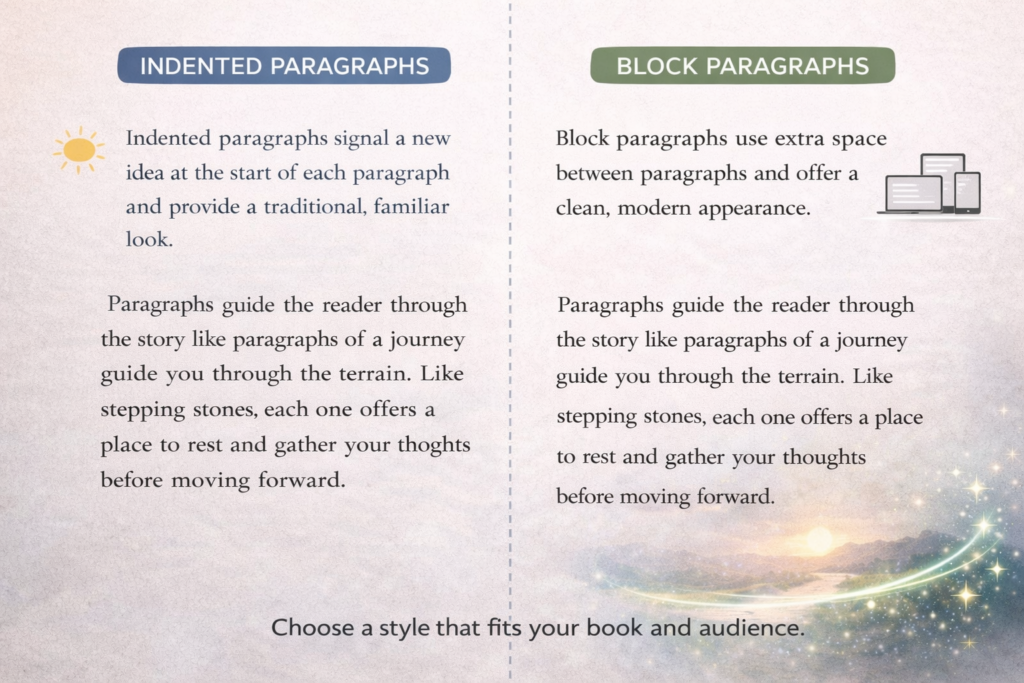
Most ebooks use one of two styles:
Option 1: Indented Paragraphs (Most Common)
- First line of each paragraph is indented
- No extra space between paragraphs
Option 2: Block Paragraphs
- No indentation
- Extra space between paragraphs
Do not mix both styles. Choose one and stay consistent.
Most fiction uses indented paragraphs.
How to Set Indented Paragraphs
This is the most widely used format for ebooks.
Step 1: Select your body text
- Highlight your main text
- Or modify the Normal style
Step 2: Open Paragraph Settings
In Microsoft Word:
- Right-click → Paragraph
Step 3: Set indentation
- Special: First line
- By: 0.3″–0.5″
Step 4: Set spacing
- Before: 0 pt
- After: 0 pt
- Line spacing: 1.15–1.5
This creates clean, consistent paragraphs across all devices.
How to Set Block Paragraphs
If you prefer a more modern look:
Step 1: Remove indentation
- Special: None
Step 2: Add spacing between paragraphs
- After: 6 pt to 12 pt
Step 3: Keep line spacing consistent
- Line spacing: 1.15–1.5
This creates clear separation without using indentation.
Never Use Tabs or Spaces
This is one of the most common mistakes.
❌ Do NOT:
- Press Tab to indent paragraphs
- Add spaces at the beginning of lines
These do not translate correctly in ebooks and will break formatting.
Keep Spacing Consistent
Your entire manuscript should follow the same rules:
- Same indentation (or none)
- Same spacing values
- Same line spacing
Inconsistency becomes very noticeable after conversion.
Scene Breaks
Use simple, consistent markers to separate scenes.
Good options:
***centered- A single blank line (consistent throughout)
Avoid:
- Decorative symbols
- Large spacing gaps
Simple breaks work best across all devices.
Check Your Work (Quick Visual Pass)
Scroll through your document and look for:
- Paragraphs that don’t match
- Random spacing changes
- Indents that look different
If something looks off here, it will stand out even more in your ebook.
The Goal
Your paragraphs should feel:
- Consistent
- Easy to read
- Natural across any device
Professional and consistent from start to finish
Key Takeaway
Consistent paragraph formatting is what makes your ebook feel professional.